A running app can still use a smaller layout
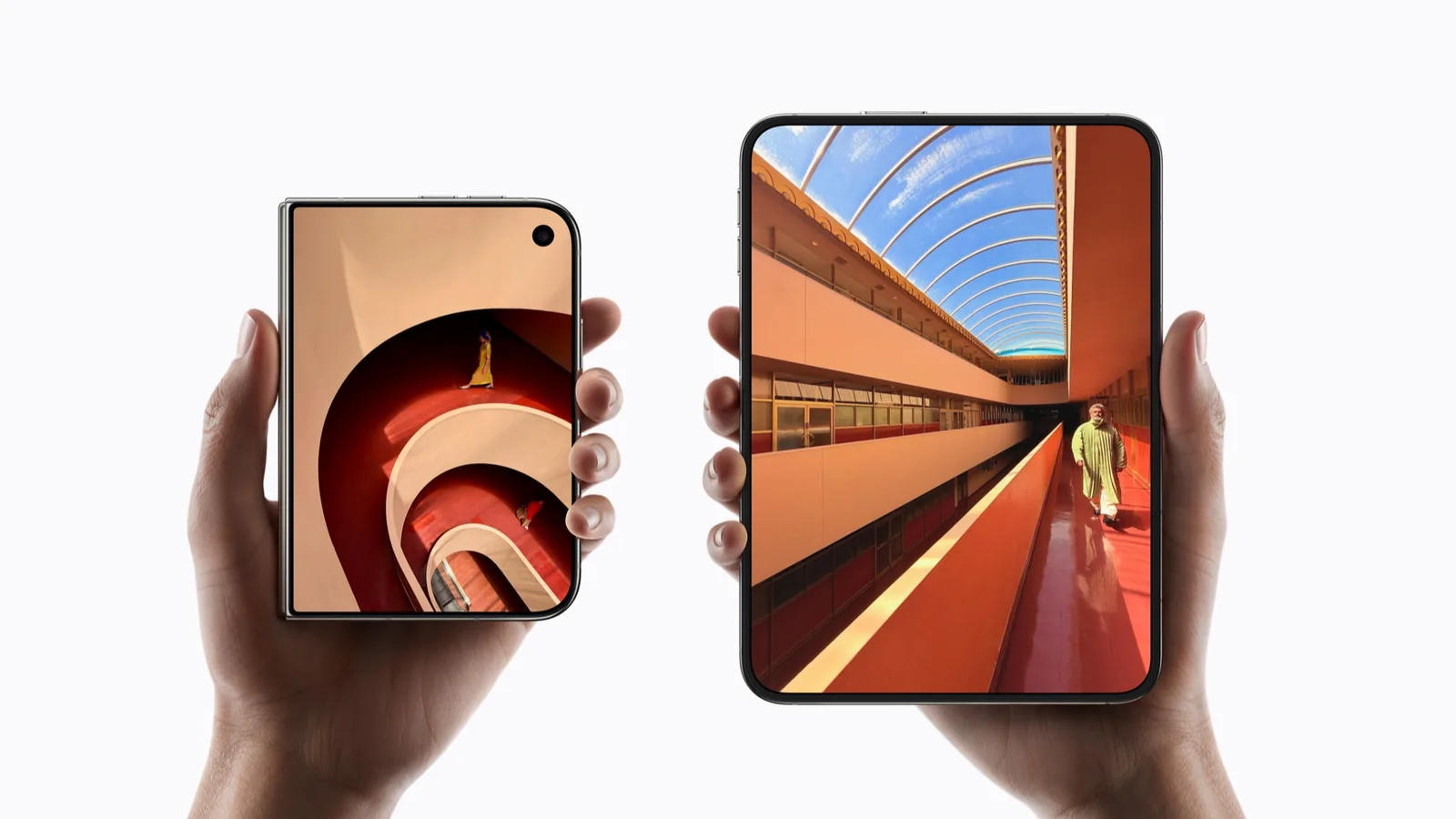
In Prepare your app for iPhone Duo, Apple says existing apps can run without being rebuilt for iOS 27. It then shows how adopting newer SDKs changes the available layout.
This distinction prevents a common mistake: treating a working login screen as proof that an app takes advantage of the new display. Try the task you came for, not just launch.
| Apple’s SDK description | What the demonstration establishes |
|---|---|
| Before iOS 27 | Existing apps can run with a familiar size and aspect ratio when open. |
| iOS 27 SDK | More inner-display space is used, left of the status-bar area. |
| iOS 27.1 SDK | The app can extend to the screen edge with standard vertical bars. |
Apple never used the word letterboxed
Headlines since 9 September have said older apps will be letterboxed, boxed or made to look hideous. Apple has not said any of that. The complete passage in Prepare your app for iPhone Duo reads: “Your app will work on iPhone Duo even if you haven’t built it with the iOS 27 SDK. When the device is closed, your app will use the screen space to the left of the status bar and camera. When the device is open, your app will be a familiar size and aspect ratio.”
The written documentation says less again: build with Xcode 26 or earlier and your app does not extend under the status bar and camera. No compatibility mode. No compatibility size. No bars.
The one place Apple writes letterboxing is the design guidelines, advising game developers to prefer changing their aspect ratio over letterboxing their own artwork. That is advice about what a developer renders, not a description of what iOS does to an app that was never updated.
The honest summary is smaller and more useful than the headline. Apple says older apps run and get a familiar size. Apple has not published what familiar resolves to: which iPhone’s geometry, whether it sits centred, or what fills the space around it. Apple’s documents stop there; an app that has not been updated shows the rest on the device itself.
Read the label before the recommendation
An “Apple-showcased” label on this site means Apple named or demonstrated that third-party app. It records the preview described beside the label. It is not a score for the whole app.
An “Apple system app” label identifies an Apple app with a specific relevant capability in the cited announcement. The first directory release uses those two labels. No entry is labeled as our own retail-device test.
Our methodology explains the publication rules. A developer statement or a submitted screenshot can be useful, but it must identify the claim and its scope before it changes a profile. The app support table applies the same rule to the apps this directory does not profile individually.
A preview answers a narrower question
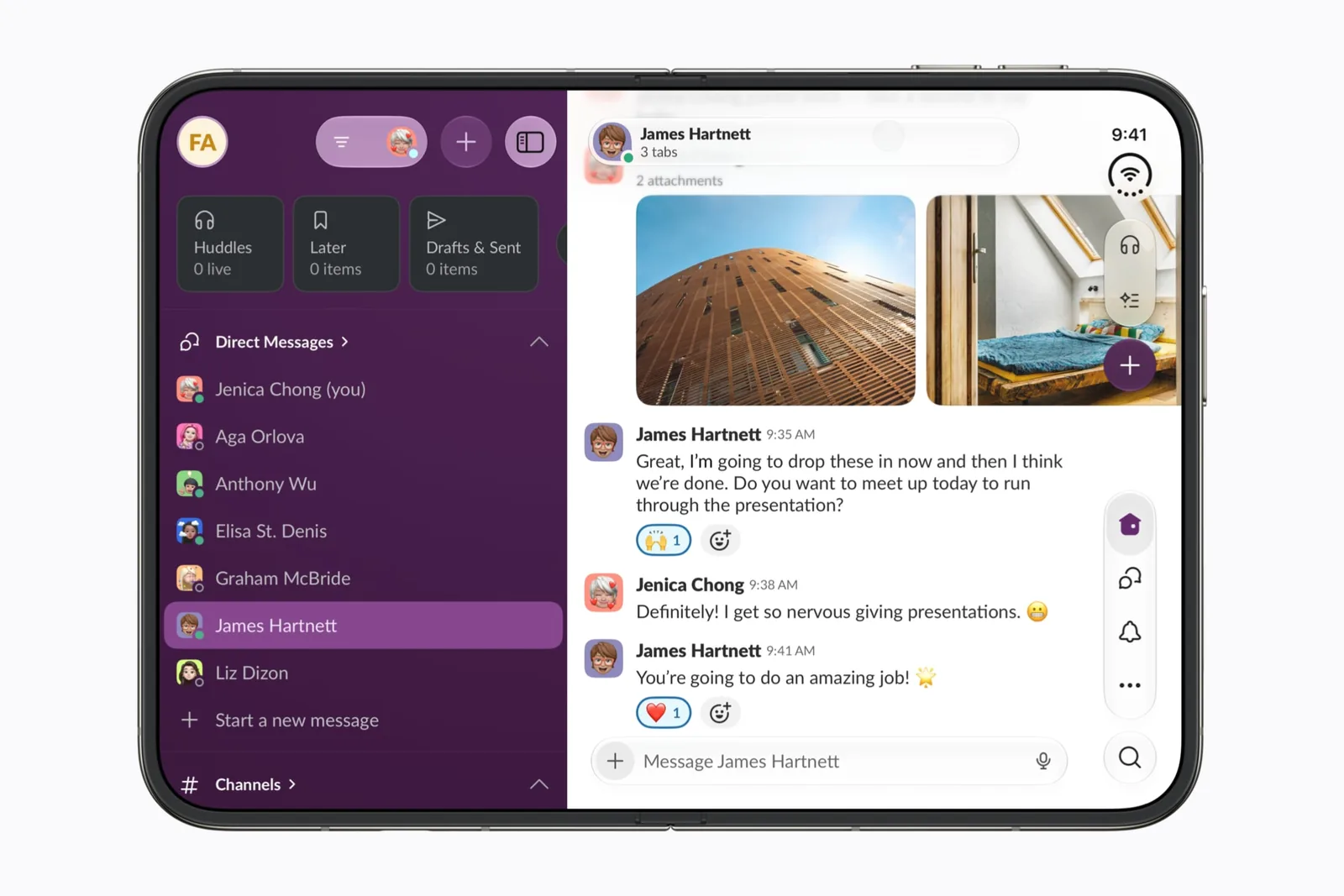
Netflix, Zoom, Slack and Detail each have a different previewed task. A Netflix clip does not establish Zoom’s call behavior, and a Zoom layout does not establish that all apps support the same controls.
Keep a short record of what was actually demonstrated. Then list what you still need: a particular app version, your account configuration, a keyboard state or a specific export. That becomes your test plan.
Do not turn an iPad listing into a Duo claim
Before planning around an iPad-only app, check the developer’s iPhone availability and Duo statement. A familiar app name or a large-screen screenshot is not enough for this directory to mark it adapted.
The same restraint applies to a future-looking update announcement. A promised update, a beta build and a public App Store release are different stages. Record the stage rather than changing the wording to “ready.”
Check one task across the display change
Choose a task with state: a draft, a selected clip, a page or a playback position. Start closed, open the device, then return to the first arrangement. Note the exact state you expected to preserve.
Try larger text and an on-screen keyboard where appropriate. Use the testing checklist to capture the result, and the multitasking guide when two apps are involved. What Apple has established about the fold itself is worth reading before you record a state loss as a defect.
Use silence carefully
An app missing from our shortlist is not a finding that it is incompatible. It means the first release of this directory does not contain a sourced profile for it.
Send a public developer statement or a reproducible report through Submit an app. Include enough detail for someone else to check the claim. The directory does not use downloads, ratings or a listing fee as a substitute for a source.
Sources & scope
Primary references. The claim beside each link sets its scope.
- Prepare your app for iPhone DuoApple Developer · Checked Sep 19, 2026
SDK-dependent screen usage, size classes, safe areas and Device Hub. Transcript reviewed.
- Preparing your app for iPhone DuoApple Developer · Checked Sep 20, 2026
Written documentation of SDK-dependent screen usage. States what older builds do not do; states no compatibility mode.
- Designing for iPhone DuoApple Developer · Checked Sep 20, 2026
Design guidance for poses, Split View control placement and games. Guidance to developers about their own layouts, not a description of system behavior.
- Apple unveils iPhone DuoApple Newsroom · Checked Sep 19, 2026
Official announcement and app previews; not a retail-device test.