Why Netflix makes this shortlist
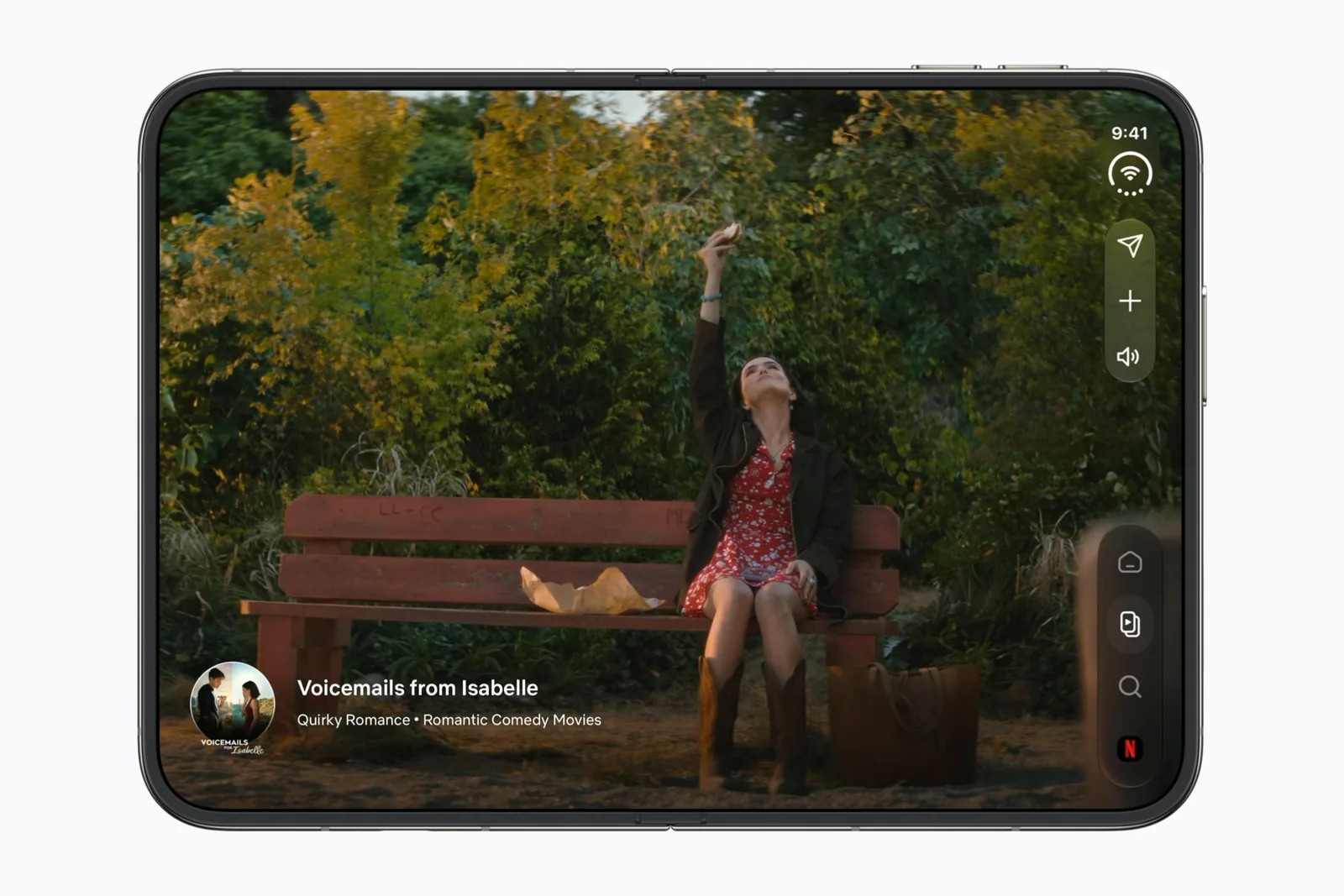
Netflix is one of the third-party apps named in Apple’s iPhone Duo announcement. The useful distinction in that preview is the change in task: browse a short clip while the phone is closed, then open it when you want more space.
Our editorial reason to shortlist it is simple. Video is an easy way to notice whether opening the phone gives you something useful. Judge the picture and the controls separately. A larger movie frame can be valuable even when a film does not fill every part of the screen.
Check the plan as well as the screen
Netflix’s iOS help page says Picture in Picture is available only on ad-free plans. A missing floating player is therefore not, by itself, a sign that the foldable layout is broken.
Use a title you already know for your first comparison. Look at faces near the frame edge, subtitles and the player controls. Do not compare two unrelated films and attribute all the differences to the device.
| Check | What to look for |
|---|---|
| Outer-display browsing | Can you select a title without opening the phone? |
| Unfolding | Does the title and your place remain understandable? |
| Subtitles | Are captions legible with the controls visible? |
| Picture in Picture | Check your plan before diagnosing an app problem. |
Black bars are not a compatibility verdict
A wide film inside a less-wide display leaves spare space when the whole frame is preserved. Cropping removes that space by removing part of the picture. That is a geometry trade-off, not a quality score.
Work the arithmetic through with your own numbers in the black-bars guide, which also separates video framing from an app stuck in a narrow layout.
Who should save Netflix
Save Netflix when your main question is whether the foldable form makes browsing and watching feel like one task. Compare it with Safari when you also want to keep a review or watchlist open beside another activity.
Do not use this page to choose a subscription tier on resolution alone. The developer’s current plan terms and the actual playback information on your device are the right sources for that decision.
Watching on a car display is a separate setup. Our CarPlay video app checklist starts with receiver support; the Dashow preview covers a personal-library option, without claiming it can mirror protected Netflix titles.
A useful first check
Use these prompts when you have the app and device in hand. They are a test plan, not reported test results.
- Open a title from Clips, then unfold without changing the title.
- Show subtitles and playback controls together.
- Compare fit and crop with the same shot.
- Try Picture in Picture only on an eligible plan.
Keep a repeatable test record with the app version, software build and outcome.
Sources & scope
Primary references. The claim beside each link sets its scope.
- Apple unveils iPhone DuoApple Newsroom · Checked Sep 19, 2026
Official announcement and app previews; not a retail-device test.
- Using Netflix on iPhone and iPadNetflix Help Center · Checked Sep 19, 2026
General iOS installation, downloads and Picture in Picture requirements; not a Duo-specific certification.
- Design for iPhone DuoApple Developer · Checked Sep 19, 2026
Design guidance and transcript: resizable layouts, controls, Split View and fold avoidance.