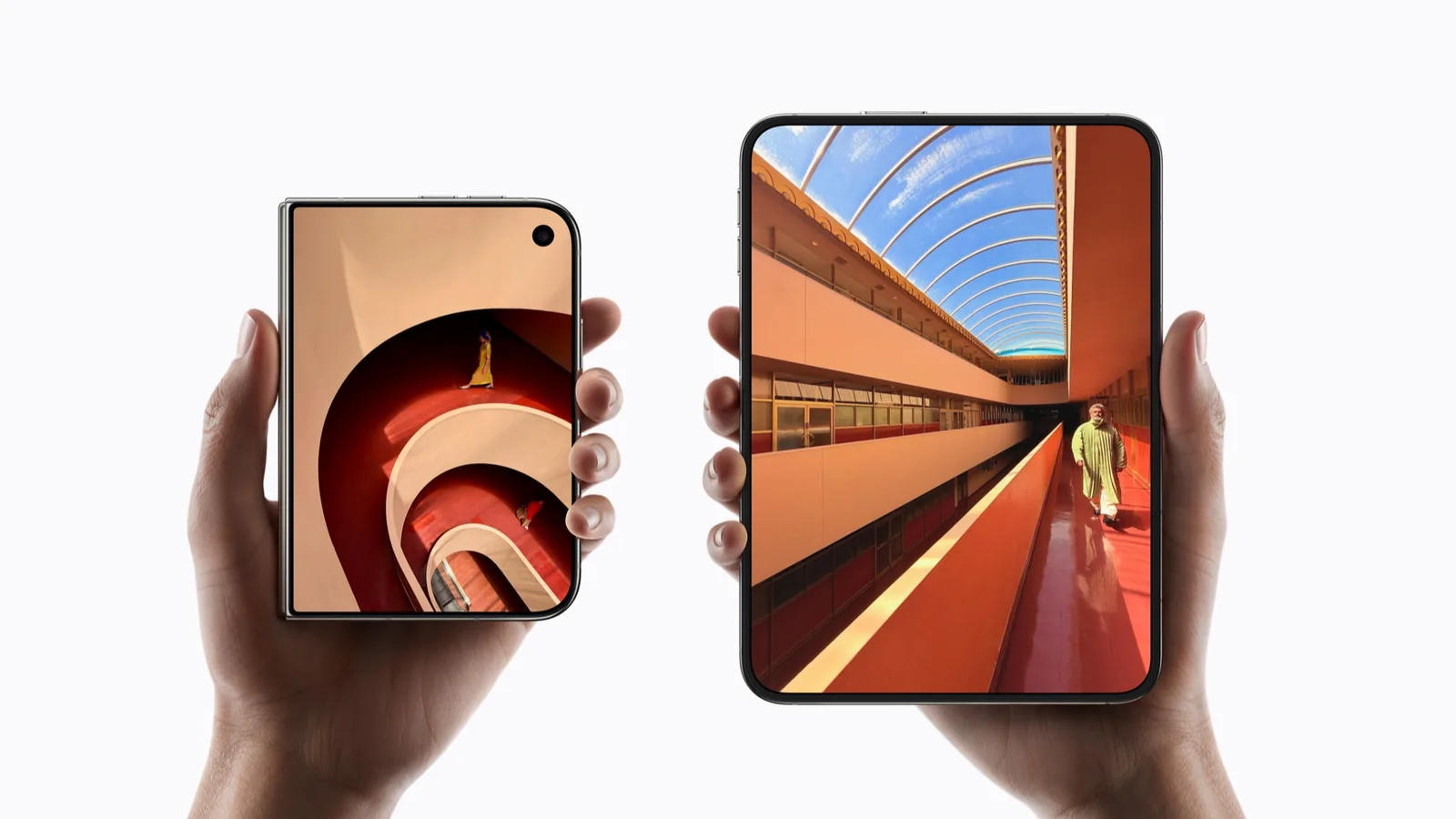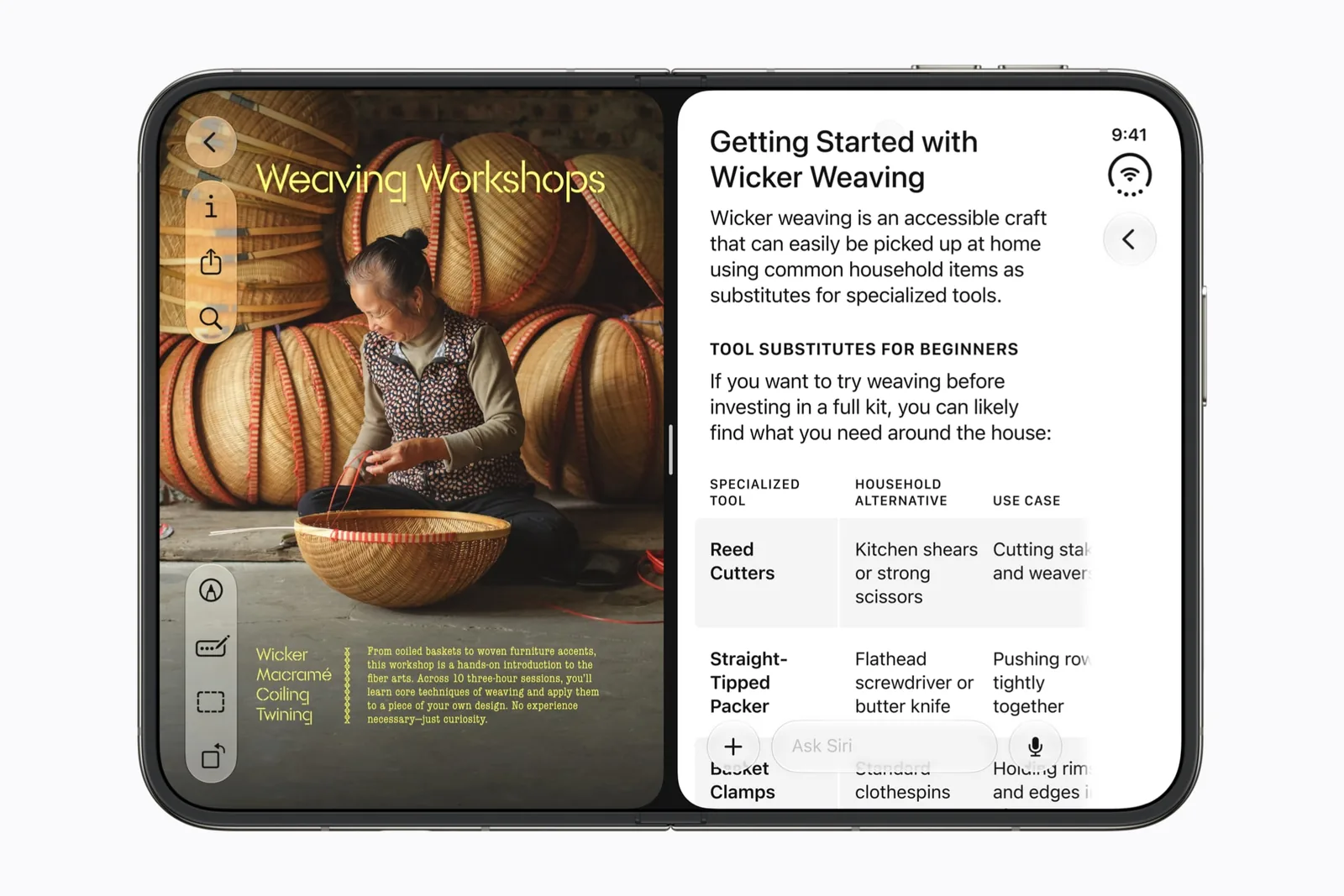
Apps already run while the phone is closed
The 5.4-inch screen on the front of iPhone Duo is a Super Retina XDR panel, 1398 by 2034 pixels at 460 ppi on Apple’s specification page. It has ProMotion up to 120Hz and the same brightness figures as the 7.6-inch screen inside, including the 3000-nit outdoor peak. The nano-texture cover layer belongs to the inner screen only, so the two screens do not handle glare the same way. Apple rates video playback at up to 44 hours on the front screen and up to 31 hours inside.
For an app built before the iOS 27 SDK, Apple’s whole published statement is one sentence: “When the device is closed, your app will use the screen space to the left of the status bar and camera.” That is Apple’s preparation talk. Older apps run. They keep to the left of the status bar and the camera, and Apple describes no fallback mode beyond that. Our compatibility guide sets out the three SDK tiers and what each one changes.
An app is told it has less width when the phone is closed
A size class is iOS telling an app whether it has a lot of room or a little, in each direction, so the app can choose a layout that fits. Apple’s preparation talk publishes the values for both screens. Held upright and closed, the front screen is regular vertically and compact horizontally. Turned on its side, it is compact in both directions.
The inner screen is regular in both directions. That single difference accounts for most of what changes when the phone opens, because a regular horizontal size class is the signal an app reads before it shows a sidebar or a two-column layout. An app that gives you one column on the closed device is following the width it was handed. It is not broken. Phrase shows the closed layout done well: the note fills the outer display and the controls sit in a column beside the camera.
In practice, pick the closed device for a task that fits one column: a reply, a queue, a list you are scrolling. Open the phone when the task needs two things beside each other. The size class is the mechanism under that instinct, and it is the same signal an app reads before it draws its first view. Choosing the screen first saves a fold.
To look at a layout at the front screen’s own proportion without the device in hand, drop a screenshot into the 3D mockup studio. It maps the image to Apple’s published pixel ratio for whichever display you choose.
New windows are reserved for the inner screen
Apple’s scenes talk states it in three sentences: “On iPad, new windows can be created at any time. On the outer display of iPhone Duo, new windows cannot be created. That behavior is reserved for the inner display.” The rule is Apple’s own. Open the phone first, then make the second window. Two windows of one app covers that behavior in full.
The side-by-side layout is a separate statement, and it is broader: “All apps participate in multitasking on iPhone Duo, where two apps can be placed in a side-by-side layout.” Apple presents that arrangement on the inner screen. Apple has published no sentence about running it on the closed device, and window creation is the part Apple made explicit. That distinction matters. Our multitasking guide covers the layout itself.
Read the two statements as they are written. One is a prohibition attached to a named screen. The other describes a layout that Apple shows on the larger screen and does not attach to either panel by name. Filling the gap between them with a confident yes or no adds a claim Apple has not made.
Compare the two screens one capability at a time
The table sets each published capability beside the Apple source that establishes it. Read it row by row. Every entry comes from Apple material checked on September 19 and 20, 2026. Where a row says Apple published no rule, that gap is part of the record, and it tells you which questions were still open on September 20, 2026.
Apple documents what the system provides on each display. What any individual app chooses to show on the smaller screen is the app’s decision, and Apple has published no list. Apple’s announcement does name Netflix swiping through Clips on the closed device, which records one app’s choice rather than a rule for every other app.
| Capability | Outer screen, 5.4-inch | Inner screen, 7.6-inch |
|---|---|---|
| Size classes | Portrait: regular vertical, compact horizontal. Landscape: compact in both. Apple | Regular in both directions. |
| New windows | Cannot be created. Apple | Where window creation is allowed. |
| Two apps side by side | Described on the inner screen; no published rule for the closed device. | All apps participate. Apple |
| Camera reserved region | Always active. Apple | Reserved while the camera is in use. |
| StandBy | Runs, with no charging requirement. Apple | Runs, with no charging requirement. |
The camera area on the front is always reserved
iPhone Duo reserves a region around the camera on the front screen, and Apple’s adaptive-layout talk describes that region as always active. The inner screen works the other way: its camera region is reserved only while the camera is in use. The folding region is active only when the device is partly folded, and it has zero width when the phone is flat. There is no permanent dead strip down the middle of the open screen. That last point surprises people.
Apple’s announcement names two camera features that use the front screen: Duo Preview shows a live preview to the person being photographed, and Kid Cue plays Peanuts animations there (Apple Newsroom). Both belong to Apple’s own Camera app. Third-party camera apps get a separate interface, CameraCaptureAccessory, which Apple’s scenes talk states is available only while the app is full screen on the inner screen with an active camera session. They do not inherit Duo Preview.
StandBy runs on either display and does not require the device to be charging, according to Apple’s announcement. No app update is involved.
Questions about apps while the phone is closed
These are the questions people ask about the closed device, and each answer names the Apple statement behind it. Where a sibling page owns the full answer, the short answer is here and the link goes there.
- Can you use Messages and other apps while iPhone Duo is folded? Yes, you can use apps while folded. Apple’s rule for an app built before the iOS 27 SDK is that it runs and uses the screen space to the left of the status bar and camera. What each app shows in that space is its own layout decision.
- Can I open two windows on the iPhone Duo outer screen? No. Apple states that new windows cannot be created there and that the behavior is reserved for the inner display (Apple’s scenes talk). Open the phone, then make the second window. The prohibition is about creating windows, and Apple attached it to a named screen.
- What happens to an app when I open iPhone Duo? It keeps running, and the inner screen hands it regular size classes in both directions, so a wider layout becomes available to an app that supports one. How much of that width an app takes depends on the SDK it was built with. Our fold-continuity guide owns the full answer.
- Can StandBy run on the smaller screen? Yes. Apple’s announcement says StandBy works on either display and does not require the device to be charging. That is a system behavior rather than something each app provides, so it does not wait on a developer update. Apple named it in the September 2026 announcement.
Sources & scope
Primary references. The claim beside each link sets its scope.
- iPhone Duo — Technical SpecificationsApple · Checked Sep 20, 2026
Published display resolutions, pixel density, dimensions and weight. Apple prints no aspect ratio figure on this page.
- Leverage multiple displays and scenes on iPhone DuoApple Developer · Checked Sep 20, 2026
Transcript. Multiple instances of one app, the iPad carry-over rule, and window creation on each display. Describes developer capability, not any shipping app.
- Prepare your app for iPhone DuoApple Developer · Checked Sep 19, 2026
SDK-dependent screen usage, size classes, safe areas and Device Hub. Transcript reviewed.
- Apple unveils iPhone DuoApple Newsroom · Checked Sep 19, 2026
Official announcement and app previews; not a retail-device test.
- Strike a pose with adaptive layouts on iPhone DuoApple Developer · Checked Sep 19, 2026
Reserved regions and adaptive arrangements. Introductory transcript sections reviewed, not a complete API audit.